
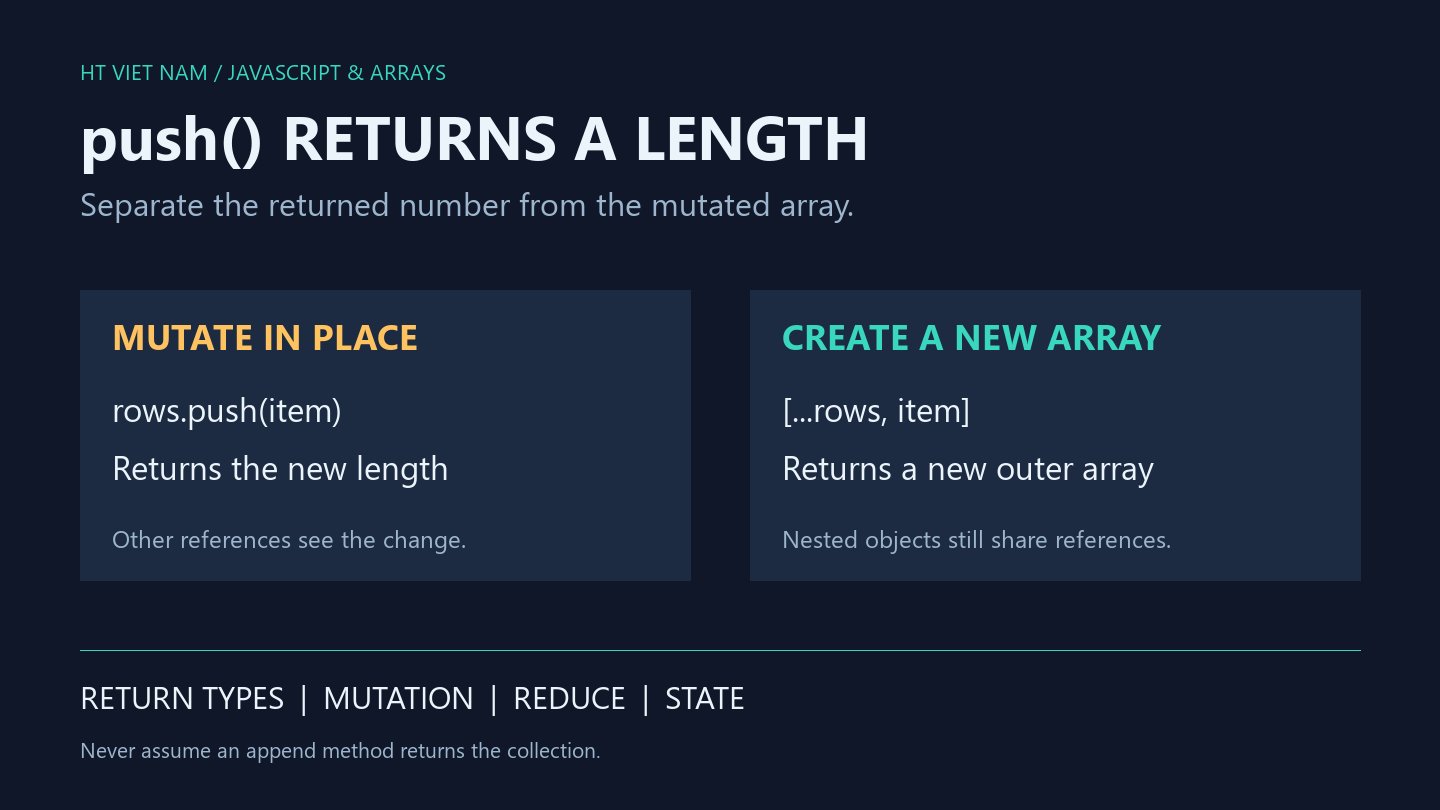
Assigning rows = rows.push(item) replaces rows with a number after mutating the original array. The failure may surface only when subsequent code calls map or push. Distinguish the return value from the operation's effect on data.
1. push mutates the array and returns its new length
let rows = ['A'];
const alias = rows;
rows = rows.push('B');
console.log(rows); // 2
console.log(Array.isArray(rows)); // false
console.log(JSON.stringify(alias)); // ["A","B"]
MDN Array.push describes appending elements and returning the new length. alias still references the mutated array, while rows now holds 2. This does not create a new array.
For deliberate mutation, call rows.push(item) as a separate statement. Name the result newLength when the count is needed. A function promising an array should not return rows.push(item), which returns the wrong type to its caller.
2. A reduce callback can accidentally return a number
try {
  [1, 2].reduce((acc, value) => acc.push(value), []);
} catch (error) {
  console.log(error instanceof TypeError); // true
}
const collected = [1, 2].reduce((acc, value) => {
  acc.push(value);
  return acc;
}, []);
console.log(JSON.stringify(collected)); // [1,2]
The broken callback first returns 1, which becomes the next accumulator. Calling acc.push then fails. The corrected callback returns acc after appending. Its accumulator starts as a fresh [], separate from the input array.
With one input element, the broken version has no second iteration to throw, but still returns the wrong type. With empty input, it returns the initial array. Tests limited to empty input or exceptions can therefore miss an inconsistent return contract.
3. Return a new array when the source must stay unchanged
function appendItem(rows, item) {
  if (!Array.isArray(rows)) {
    throw new TypeError('rows must be an array');
  }
  return [...rows, item];
}
const original = ['A'];
const next = appendItem(original, 'B');
console.log(JSON.stringify(original)); // ["A"]
console.log(JSON.stringify(next)); // ["A","B"]
console.log(next === original); // false
This helper uses array spread for a new outer array. It targets ordinary arrays with the standard iterator. item is appended as one element even when it is an array. The helper does not validate schemas or remove duplicates.
The copy is shallow: existing objects and the appended object retain their references. For sparse inputs, spread creates explicit undefined elements at holes. Preserving sparse structure or separating nested records requires another deliberate policy.
4. Define the return type for the caller
A mutating function can return a length, an array or nothing under an explicit contract. Problems arise when callers infer the return type from an operation's name. Passing a push result into a state update that expects an array supplies a number instead.
The reduce example illustrates return behavior, not a recommendation to copy arrays with reduce. Choose operations that express the actual task. For multiple elements, distinguish appending one nested array from appending each element, and validate input shape before adding spread syntax.
5. Review append operations
- Does the operation mutate the existing array or create another?
- Should the result variable contain a number or an array?
- Does every reduce iteration return the intended accumulator?
- Do tests cover empty, single-item and multi-item inputs?
- May other references observe source mutations?
All six bilingual blocks ran with Node.js. Additional checks cover single-item reduce behavior, invalid input types and helper object identity. State-management libraries and browser interfaces were not integrated.

No comments yet. Be the first to share your thoughts.