
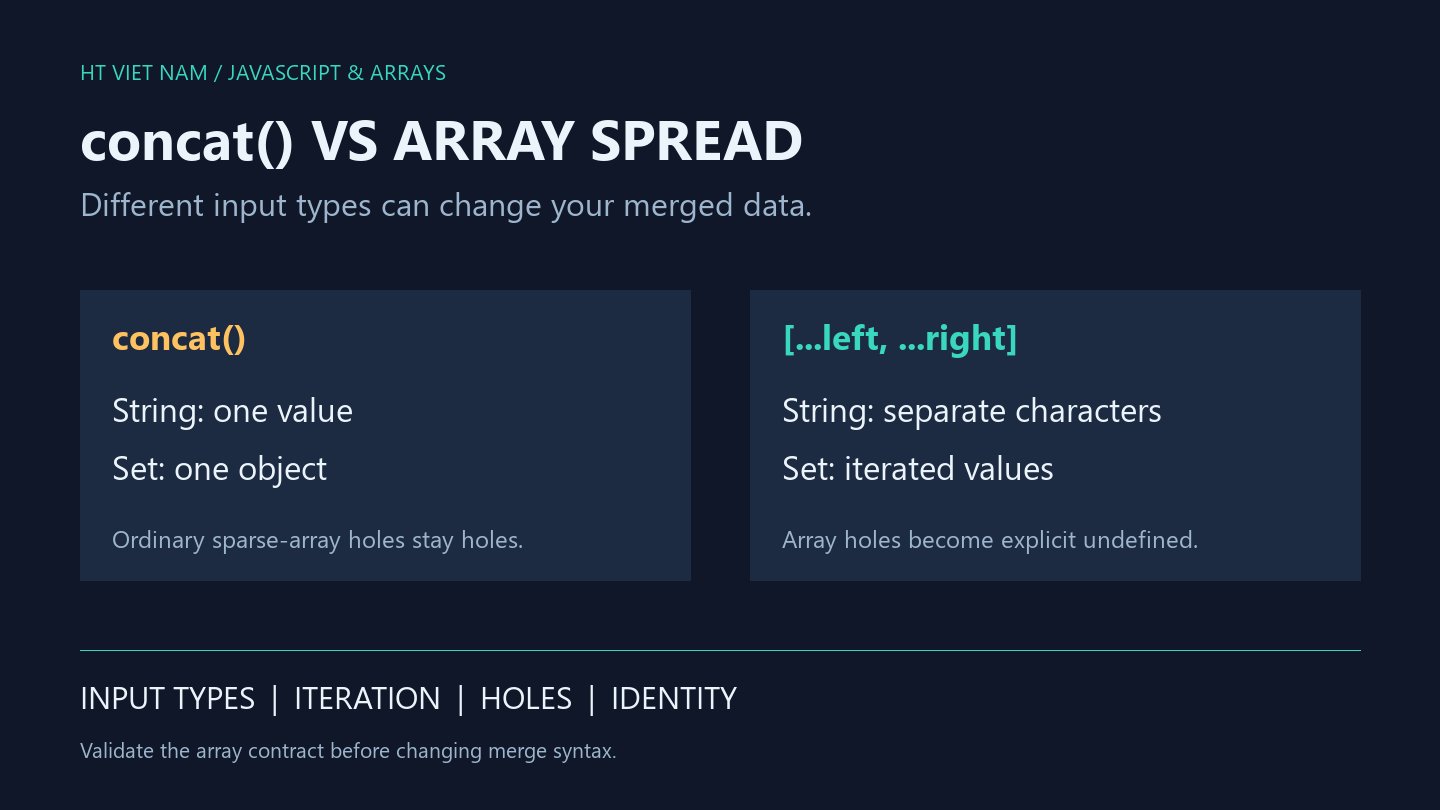
Replacing left.concat(right) with [...left, ...right] can change the resulting data. They often look equivalent for ordinary arrays. Strings, Sets and sparse inputs reveal different behavior.
1. One string can become multiple elements
console.log(JSON.stringify(['A'].concat('BC'))); // ["A","BC"]
console.log(JSON.stringify(['A', ...'BC'])); // ["A","B","C"]
const extra = new Set(['B', 'C']);
const joined = ['A'].concat(extra);
console.log(joined[1] === extra); // true
console.log(JSON.stringify(['A', ...extra])); // ["A","B","C"]
concat does not consume every iterable: ordinary strings and Sets are appended as single values. Array literal spread consumes an iterable. References: MDN Array.concat and MDN spread syntax.
If an API accidentally supplies 'BC' instead of an array of product codes, changing syntax can turn that schema error into two plausible codes. Validate inputs before deciding how to combine them.
2. Holes do not retain the same structure
const sparse = new Array(1);
const viaConcat = [].concat(sparse);
const viaSpread = [...sparse];
console.log(viaConcat.length); // 1
console.log(0 in viaConcat); // false
console.log(0 in viaSpread); // true
console.log(viaSpread[0] === undefined); // true
For this ordinary array, concat preserves the hole while spread creates an explicit undefined element. JSON.stringify produces [null] for both, so JSON-only assertions can miss the structural difference. Check whether the index exists.
Sparse inputs can also change whether array callbacks execute. If holes are forbidden, reject or normalize them deliberately at the input boundary instead of allowing a syntax refactor to choose the policy.
3. A new array can still share old objects
const row = { count: 1 };
const original = [row];
const copied = original.concat([]);
copied[0].count = 2;
console.log(original[0].count); // 2
console.log(copied === original); // false
console.log(copied[0] === original[0]); // true
The outer array is new, but its object element is the same reference. Array spread does not deep-copy objects either. For independently editable drafts, decide which nested structures must be separated before choosing a copying strategy.
4. Require arrays when the operation is array merging
function mergeLists(left, right) {
  if (!Array.isArray(left) || !Array.isArray(right)) {
    throw new TypeError('both inputs must be arrays');
  }
  return [...left, ...right];
}
console.log(JSON.stringify(mergeLists(['A'], ['BC']))); // ["A","BC"]
console.log(JSON.stringify(mergeLists([], []))); // []
This helper targets ordinary data arrays, such as those obtained from JSON.parse. It rejects strings, Sets, null and array-like objects. It preserves duplicates, does not validate element schemas and follows spread behavior for holes.
Array.isArray does not guarantee an unmodified iterator. Arbitrary JavaScript objects, Proxies and customized subclasses require a broader contract; this helper is not a universal iterable normalizer. concat also supports Symbol.isConcatSpreadable customization, so ordinary examples do not describe every possible object.
5. Review before replacing concat
- Does the contract actually require two arrays?
- Should strings and Sets be rejected or explicitly converted?
- Are holes allowed, and must their structure be preserved?
- Do objects need copying or duplicates need handling?
- Do tests check types and index presence as well as JSON output?
All eight bilingual blocks ran with Node.js. Additional checks cover rejected input types, order, duplicates and object identity. Performance and real API integration were not tested.
No comments yet. Be the first to share your thoughts.