
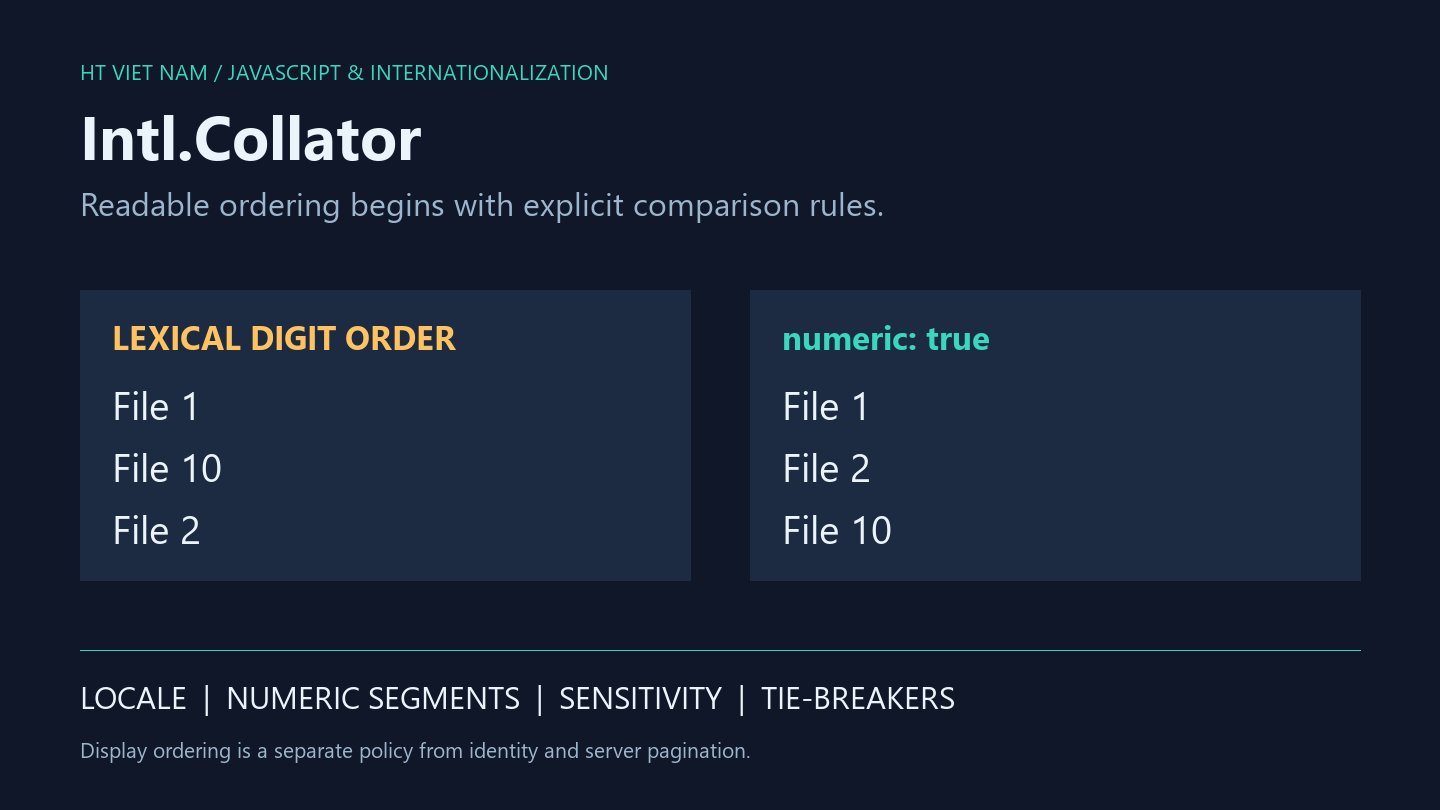
A document list shows “File 1, File 10, File 2” when users expect numerical order. Character-code ordering may be technically valid yet inconvenient for navigation. Intl.Collator provides language-sensitive comparisons with explicit sorting options.
The examples operate on small in-memory lists. For server-paginated data, establish global ordering at the source: sorting one browser page cannot fix ordering across every page.
1. Compare numeric segments in document names
const files = ['Tệp 10', 'Tệp 2', 'Tệp 1'];
const collator = new Intl.Collator('vi', {
  usage: 'sort',
  numeric: true
});
const sorted = [...files].sort(collator.compare);

console.log(sorted.join(' | ')); // Tệp 1 | Tệp 2 | Tệp 10
console.log(files.join(' | '));  // Tệp 10 | Tệp 2 | Tệp 1
The numeric option compares digit sequences numerically. Reuse a collator and sort a copied array when source order must remain unchanged. This is not a general parser for decimal numbers, software versions or dates.
2. Rely on the sign of compare
const compare = new Intl.Collator('en', {
  numeric: true
}).compare;

console.log(compare('File 2', 'File 10') < 0); // true
console.log(compare('File 10', 'File 2') > 0); // true
console.log(compare('File 2', 'File 2') === 0); // true
The contract distinguishes negative, positive and zero results. Tests should not require exactly -1 or 1. Keep comparator calls free of object mutation and network requests.
3. sensitivity defines a comparison policy
const relaxed = new Intl.Collator('en', {
  sensitivity: 'base'
});
const detailed = new Intl.Collator('en', {
  sensitivity: 'variant'
});

console.log(relaxed.compare('resume', 'résumé') === 0); // true
console.log(detailed.compare('resume', 'résumé') !== 0); // true
console.log(relaxed.compare('A', 'a') === 0);           // true
This example intentionally uses English. Do not generalize accent-insensitive equality to every language: an accented letter may be a distinct base letter in another locale. For Vietnamese, review representative names containing a, ă, â, d, đ and tone marks on the target runtime.
Collation equality does not establish identical IDs or accounts. Do not automatically merge records or substitute a display comparator for uniqueness and authentication policies.
4. Add an explicit tie-breaker
const rows = [
  { id: 'b', name: 'File 2' },
  { id: 'a', name: 'File 2' },
  { id: 'c', name: 'File 10' }
];
const byName = new Intl.Collator('en', { numeric: true });
const byId = (a, b) => a < b ? -1 : a > b ? 1 : 0;
const ordered = [...rows].sort((a, b) =>
  byName.compare(a.name, b.name) || byId(a.id, b.id)
);

console.log(ordered.map(row => row.id).join(',')); // a,b,c
Here unique string IDs use lexical order to break ties. If large decimal ID strings require numeric order, choose a suitable comparator without a lossy Number conversion.
A tie-breaker reduces dependence on input order, but frontend and database sorting can still differ when their collations differ. Paginated APIs should define the ordering and secondary key applied by the server.
5. Inspect locale support
const supported = Intl.Collator.supportedLocalesOf(['vi']);
const collator = new Intl.Collator('vi', { numeric: true });

console.log(supported.includes('vi'));          // true in the tested environment
console.log(collator.resolvedOptions().numeric); // true
supportedLocalesOf reports support without falling back to the runtime default. resolvedOptions exposes resolved settings. Language data can differ between environments, so check the deployed Node.js and browser runtimes.
6. An adoption checklist
- Choose locale, numeric and sensitivity according to the list's purpose.
- Test digits, accents, case, whitespace and duplicate names.
- Handle null or missing names before comparison.
- Preserve source order where required.
- Align secondary keys with API pagination ordering.
- Measure realistic lists before optimizing or moving sorting elsewhere.
The snippets ran locally with Node.js and Vietnamese locale support. Browser UI behavior and production database collations were not tested. References: Intl.Collator and its constructor options.
Readable ordering starts with explicit product rules. Use collators for display comparisons while checking data types, identity and whole-result ordering separately.
No comments yet. Be the first to share your thoughts.