
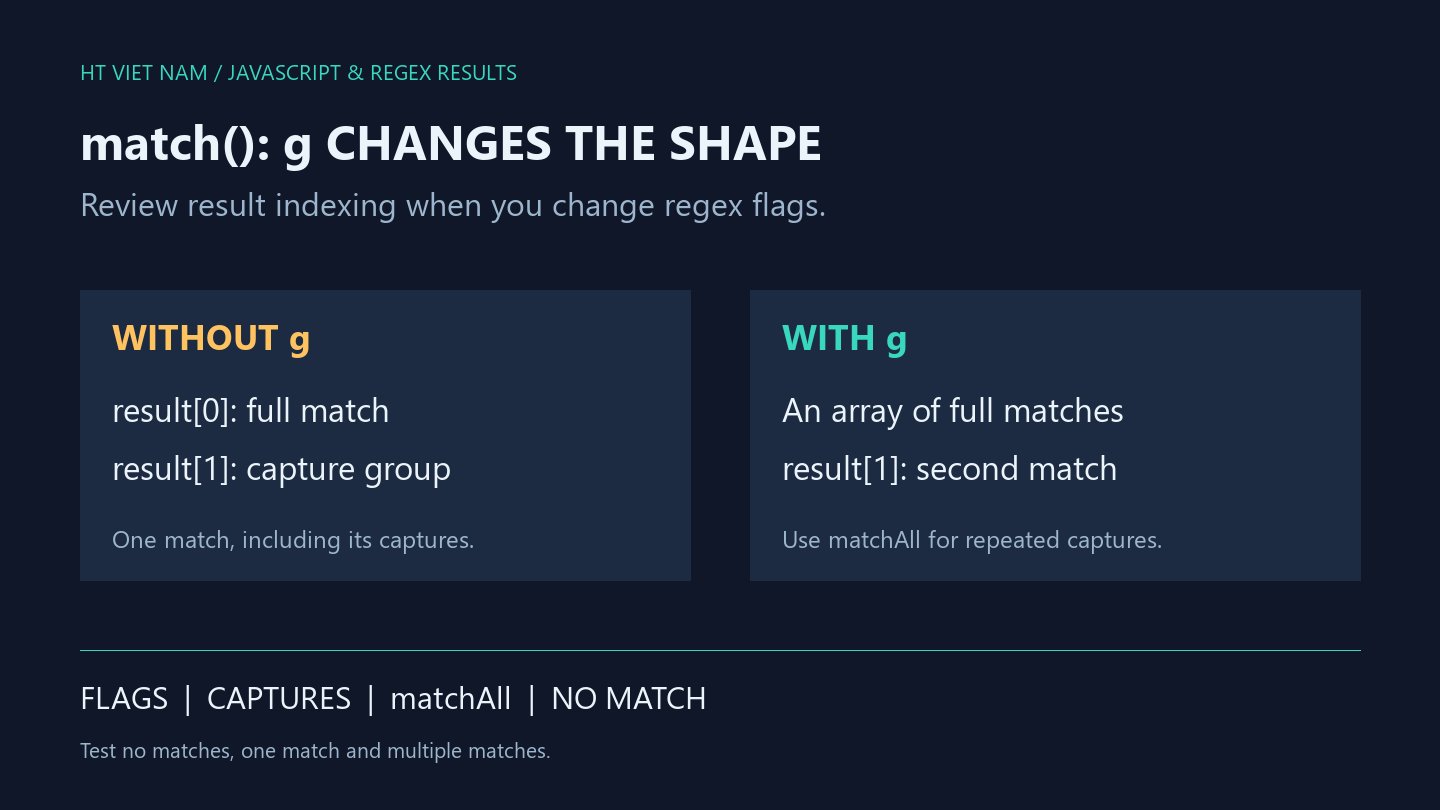
Adding g to a regex makes code reading result[1] extract the wrong value. Global matching changes String.match's output shape as well as its search scope. Review the consumer whenever you change the expression.
1. Without g: one match with capture groups
const text = 'item-42 item-7';
const result = text.match(/item-([0-9]+)/);
console.log(result[0]); // item-42
console.log(result[1]); // 42
console.log(result.index); // 0
Position 0 contains the full matched text and position 1 contains the first digit capture. See MDN String.match. Direct indexing here relies on the known matching input.
Check for a match before indexing arbitrary input. An unexpected missing match should not silently become a default identifier that hides a source-data problem.
2. With g: an array of full matches
const text = 'item-42 item-7';
const result = text.match(/item-([0-9]+)/g);
console.log(JSON.stringify(result)); // ["item-42","item-7"]
console.log(result[1]); // item-7
Here result[1] is the second full match rather than the first match's digit capture. Both are strings, so the bug may propagate without an exception.
A single-code test may yield undefined at position 1, while a two-code test yields plausible-looking text. Assert result counts and item structure rather than only the presence of a result.
3. Use matchAll for captures from multiple matches
function extractItemIds(text) {
  if (typeof text !== 'string') throw new TypeError('text must be a string');
  return [...text.matchAll(/item-([0-9]+)/g)]
    .map(match => match[1]);
}
console.log(JSON.stringify(extractItemIds('item-42 item-7'))); // ["42","7"]
console.log(JSON.stringify(extractItemIds('item-007'))); // ["007"]
matchAll returns an iterator whose results include capture groups. The supplied regex here has g. See MDN String.matchAll. This helper materializes the results once and reads capture 1.
IDs remain strings to preserve leading zeroes and avoid unintended numeric policies. The pattern only demonstrates extracting item followed by a hyphen and ASCII digits; it does not validate the entire input as a record.
Extra text may still contain a matching substring. A field that must contain exactly one code needs a contract for the complete field. Text extraction and whole-field validation solve different requirements.
4. No match: null versus an empty iterator
const text = 'nothing here';
console.log(text.match(/item-([0-9]+)/) === null); // true
console.log(text.match(/item-([0-9]+)/g) === null); // true
console.log([...text.matchAll(/item-([0-9]+)/g)].length); // 0
Both match calls return null, while materializing the matchAll iterator produces an empty array. An explicit helper contract separates no matches from invalid non-string input.
A UI can deliberately display “No codes found” for an empty list. If an import requires at least one code, enforce that requirement after extraction rather than relying on an indexing error.
5. Review consumers when flags or groups change
- Inspect uses of result[0], result[1] and result properties.
- Test zero, one and multiple matches.
- Keep string IDs when leading zeroes matter.
- Distinguish substring extraction from full-field validation.
- Ensure a regex passed to matchAll has g.
All eight bilingual blocks ran with Node.js, with helper checks for empty text, repeated IDs, leading zeroes and invalid types. Import parsers and production data were not integrated.
No comments yet. Be the first to share your thoughts.