
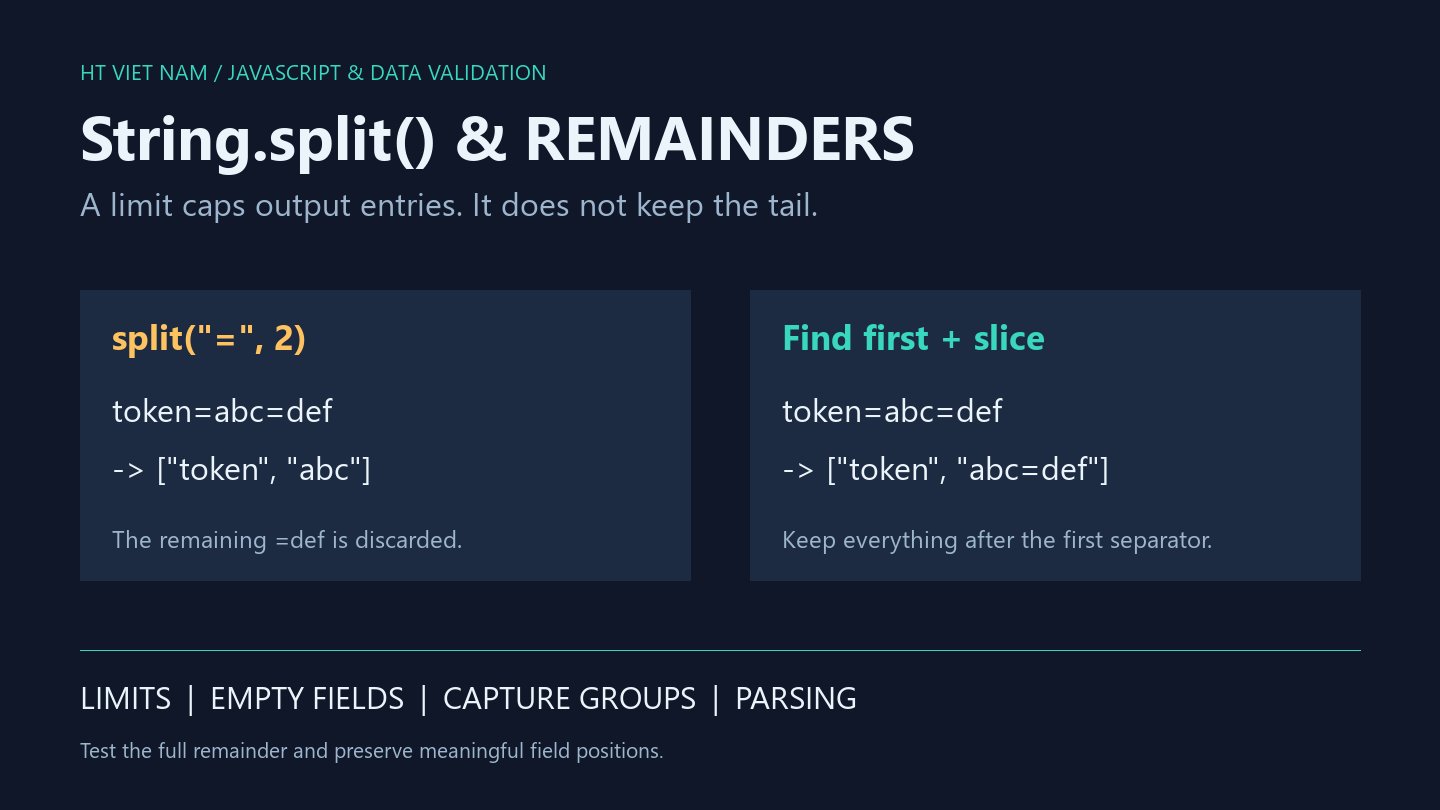
The configuration token=abc=def becomes token and abc, losing =def. This happens when split('=', 2) is expected to preserve the remainder in its last element. JavaScript limits the number of returned elements; the last element does not collect the remaining text.
1. limit is not a split count
const line = 'token=abc=def';
console.log(JSON.stringify(line.split('=', 2))); // ["token","abc"]
console.log(JSON.stringify(line.split('='))); // ["token","abc","def"]
console.log(JSON.stringify(line.split('=', 0))); // []
A limit of 2 permits the first two entries. Values containing = lose data under this approach. When porting code, verify behavior rather than relying on similarly named parameters in another language.
2. Locate the first separator and slice both sides
This helper requires a nonempty string separator. An absent separator produces one entry; a match produces exactly two, including empty leading or trailing text. It does not implement escaping or quoting rules.
function splitFirst(text, separator) {
  if (typeof text !== 'string' || typeof separator !== 'string') {
    throw new TypeError('String arguments required');
  }
  if (separator.length === 0) throw new RangeError('Empty separator');
  const index = text.indexOf(separator);
  if (index === -1) return [text];
  return [text.slice(0, index), text.slice(index + separator.length)];
}
console.log(JSON.stringify(splitFirst('token=abc=def', '='))); // ["token","abc=def"]
console.log(JSON.stringify(splitFirst('token=', '='))); // ["token",""]
console.log(JSON.stringify(splitFirst('token', '='))); // ["token"]
The array length distinguishes an absent separator from an explicitly empty value. Avoid trimming when whitespace belongs to the value. If the format permits trimming, make it a separate, tested step.
3. Preserve empty fields when positions matter
const columns = 'A,,C,'.split(',');
console.log(JSON.stringify(columns)); // ["A","","C",""]
console.log(JSON.stringify(columns.filter(Boolean))); // ["A","C"]
console.log(JSON.stringify(''.split(','))); // [""]
This example shows filter(Boolean) moving C from the third column to the second. For positional records, that can assign data to the wrong field. Remove empty entries only when the list contract permits losing their positions.
4. Regex capture groups can enter the result
console.log(JSON.stringify('A:B;C'.split(/([:;])/))); // ["A",":","B",";","C"]
console.log(JSON.stringify('A:B;C'.split(/[:;]/))); // ["A","B","C"]
The capturing group retains delimiters in the first result. A character class selects either delimiter without capturing it. Review output shape when changing a separator regex.
5. Match the parser to the format
Splitting on commas suits a simple delimited-list contract. It does not interpret quoted CSV fields containing commas or line breaks. Use a format-aware parser for actual CSV imports and test representative files. The splitFirst helper is likewise not a universal configuration parser.
- Test absent, single and repeated separators.
- Preserve meaningful empty leading or trailing fields.
- Include multicharacter separators.
- Reject invalid types and empty separators under the helper contract.
- Verify the complete remainder, not merely the array length.
All eight bilingual code blocks ran with Node.js, alongside splitFirst boundary checks. CSV imports and browser integration were not tested. References: MDN String.split and ECMAScript String.prototype.split.
No comments yet. Be the first to share your thoughts.