
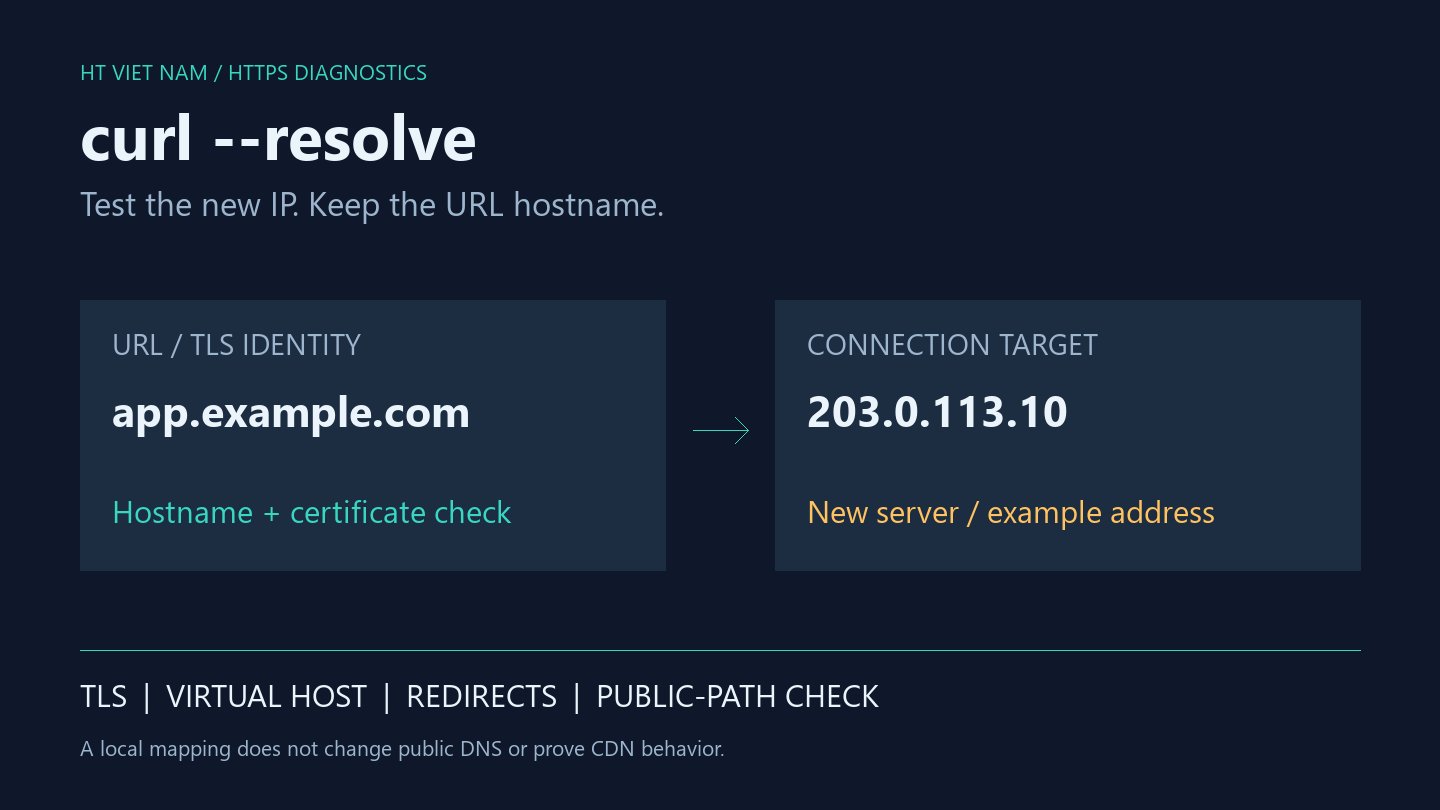
The new server is ready, but public DNS still points to the old one. To check its virtual host and certificate, you do not need to change public records or the machine-wide hosts file. curl can use a custom address mapping for its own invocation.
The examples use app.example.com and documentation address 203.0.113.10, not a live test service. Substitute a hostname and server you are authorized to test. No production migration or DNS change was performed for this article.
1. An IP URL does not test the same website
One IP can serve several sites. The URL hostname participates in virtual-host selection, TLS SNI and certificate identity checks. Accessing https://203.0.113.10 is not equivalent to accessing https://app.example.com through that address.
Adding a Host header while retaining an IP URL does not fully reproduce hostname-based TLS. Everything curl — Name resolve tricks explains the distinction.
Define the intended evidence first: correct hostname routing, trusted certificate chain and expected content. A default page returning 200 is insufficient.
2. Keep the hostname in the URL
curl --resolve "app.example.com:443:203.0.113.10" --connect-timeout 5 --max-time 15 -sS -D - -o /dev/null "https://app.example.com/"The mapping contains hostname, port and address. It must match the requested host and port; the URL retains app.example.com. See the curl --resolve manual.
This example targets Linux/macOS shells: -D - prints headers and -o /dev/null discards the body. In Windows PowerShell, invoke curl.exe explicitly and substitute NUL for /dev/null when using this command style.
The timeouts bound the diagnostic request. They are illustrative limits rather than universal settings for performance measurements.
3. Verify the intended certificate trust model
curl verifies server certificates by default. Investigate hostname coverage, expiry, intermediate certificates and the client's trust store when verification fails. For a legitimate internal CA, specify a verified CA bundle:
curl --cacert ./company-ca.pem --resolve "app.example.com:443:203.0.113.10" "https://app.example.com/"The curl certificate-verification guide explains trust stores and --cacert. Do not trust an arbitrary CA file merely to suppress an error. A request using -k/--insecure does not demonstrate that real clients will pass TLS verification.
An origin designed only for CDN access, mTLS or a different trust model may correctly reject a laptop connection. Choose a suitable test path rather than changing network access or trust configuration outside the deployment plan.
4. Inspect redirects before following them
Start without -L to inspect status and Location. A redirect to www.example.com is not covered by an app.example.com mapping. Following it might leave the new server and reach the old infrastructure.
Record each hop's scheme, host, port and path. If following redirects intentionally, add mappings only for hosts within the test scope and verify each destination. Eventually reaching a working page does not prove the new server handles the entire flow.
5. Proxies and CDNs change what the test proves
Inspect the test machine's proxy configuration. Do not assume a local mapping behaves identically when a proxy handles the request. For an authorized direct test, --noproxy can bypass the proxy for the specific host:
curl --noproxy "app.example.com" --resolve "app.example.com:443:203.0.113.10" "https://app.example.com/"A direct origin request does not exercise the CDN's WAF, cache, redirect rules or edge certificate. Keep origin verification separate from public-path verification. Use representative read routes rather than triggering writes merely to test routing without a prepared test plan.
6. Check content and deployment identity
After headers, inspect a representative read response. A nonsensitive build identifier, expected title or JSON field can distinguish deployments. Do not expose secrets or an environment dump through a health endpoint for convenience.
| Observation | Still unproven |
|---|---|
| HTTP 200 | Correct virtual host and build |
| Valid TLS | Database, storage and queue behavior |
| Direct origin works | CDN, proxy and public cache behavior |
| One route succeeds | All hostnames, redirects and features |
Automation should inspect both curl's exit code and HTTP status: an HTTP error does not necessarily make curl exit unsuccessfully by default. Assert expected content too, so a 200 response containing an error page does not pass the check.
7. Before-and-after cutover checklist
- Record the hostname, new IP, port, proxy settings and test objective.
- Keep the real hostname in the URL and match the host:port mapping.
- Verify TLS under the intended trust model without relying on -k.
- Inspect status, redirects and expected build content.
- Test primary read routes, then validate business behavior separately in an appropriate environment.
- After changing DNS, retest the public path without --resolve and monitor errors.
- Preserve observations and a rollback plan; local success does not establish that all DNS caches have changed.
--resolve separates new-server readiness from current DNS routing. Use it to gather evidence before cutover, then verify the public path to confirm the actual user experience.
No comments yet. Be the first to share your thoughts.